Overview
A Quick Look at the Product
Before diving into the design decisions, take a moment to see the app in motion. The short walkthrough on the right captures the real CEMEX GO mobile experience — exactly what partners hold in their hands, out on the jobsite.
In under a minute you’ll watch how quickly someone moves from the dashboard to placing an order, tracking a delivery, or pulling up a financial document — the everyday tasks distilled into just a few taps.
Go ahead and press play. It’s the fastest way to get a feel for the product before we get into the how and the why behind each screen.
Structure
Information Architecture First
The main challenge came from distilling the web-platform. Everything had to feel one tap away, in the customer’s pocket, ready to be seen and accessed at any time.
In accordance to business logic, the important sections and red routes were established.
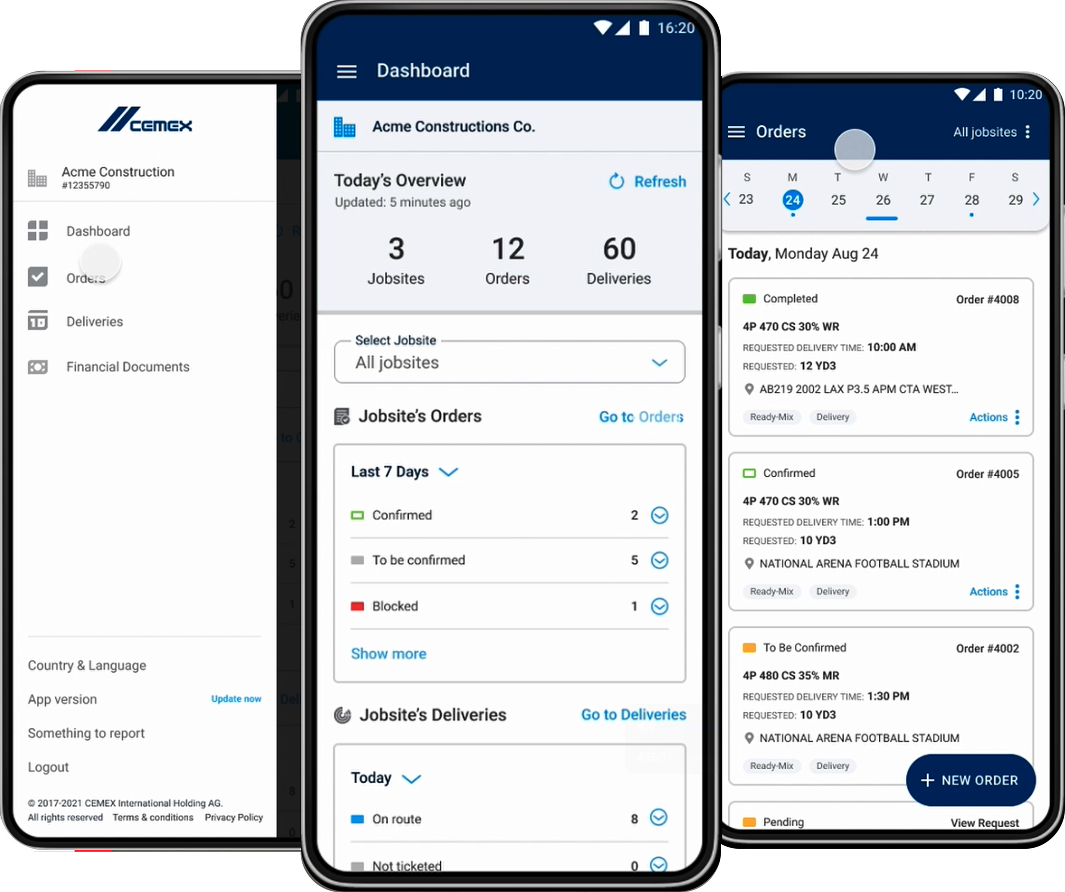
A flat hierarchy was set in place, each point of interest having direct access from the entry screen, also a counter-part in the navigation menu.
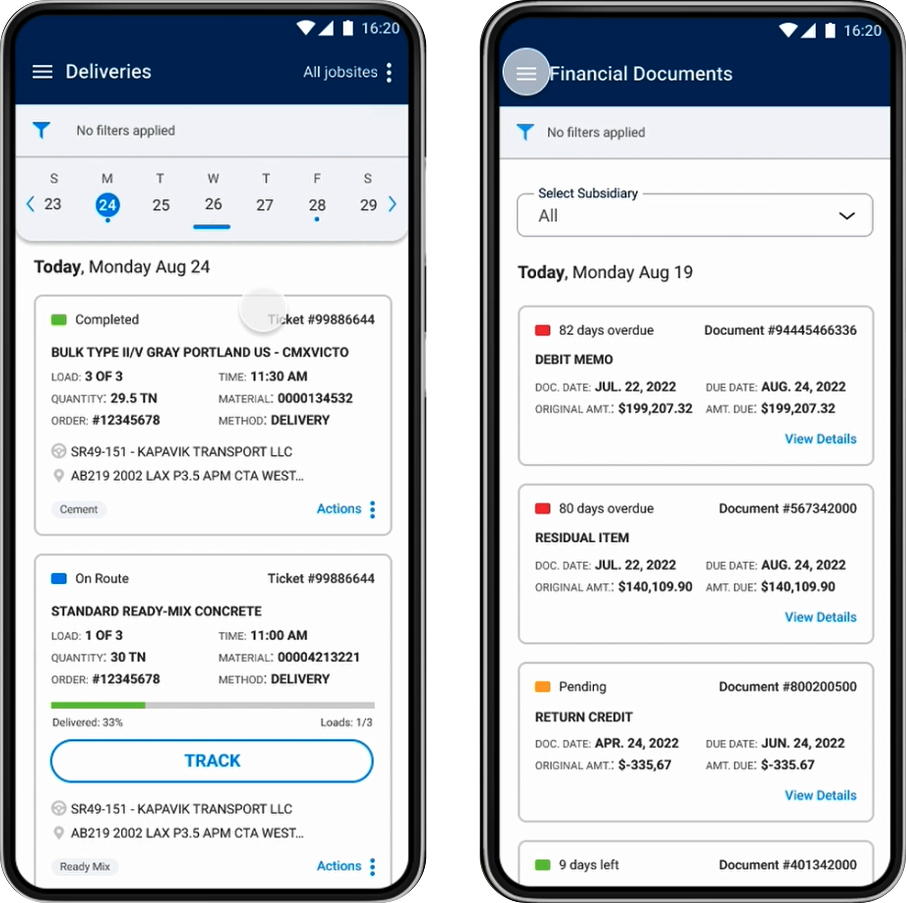
Focus was on the critical information bites, on what makes the operational level. Clients required to know the orders placed, the jobsite / entity referencing an order, their status, which deliveries are expected and when.
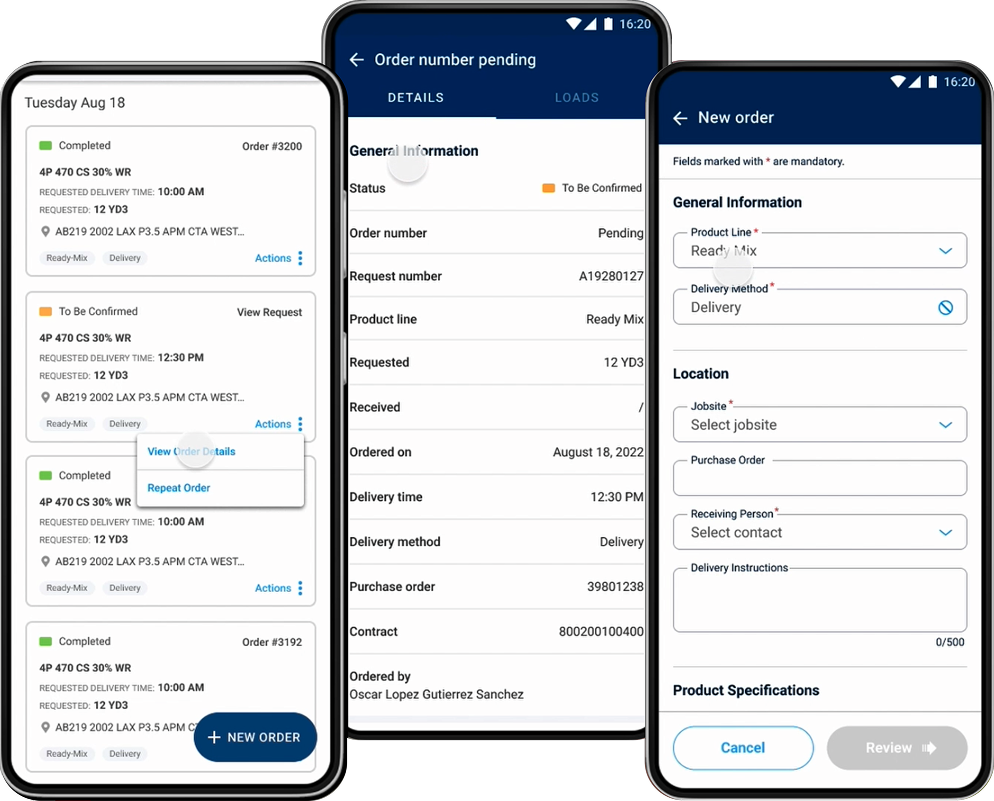
For further actions and details in regards to their orders and deliveries they had the option to drill down.
Design & Delivery
UI Consistency with CEMEX DS
The app was built on the 4-pixel grid, to take maximum advantage of the available space. Typography rules, colors and iconography were sourced from CEMEX Design Language System - Sketch UI Library.
The Agile Approach
To maintain steady progress, weekly check-in sessions were introduced early in the project. These meetings ensured consistent visibility and supported timely decision-making.
Training sessions were provided to the technical team to improve understanding of the grid system and how to extract design specifications from Sketch and InVision.
To reduce technical debt, initial mock-ups were developed into high-fidelity designs earlier than usual, enabling clearer communication and smoother implementation.
Discussions with the product owner, business analyst, and developers also led to a clearer understanding of available data through the APIs, informing both design and technical decisions.
Full List of Functions
What was accomplished?
All main flows were fully covered:
- Login Flow
- Accepting the Legal Agreement
- Setting the Legal Entity
- Dashboard Visualisation and Functionality
- Setting New Orders
- View of Order Details
- Repeating Previous Orders
- Tracking Deliveries
- Rescheduling a Delivery
- Inventory and Access the Financial Documents